
English
AFK
The AFK system is for when a member stays in the game but steps away from the computer for a while: dinner, work, studying. The leadership sees who's away, why and when they'll be back, and doesn't look for them in vain.
Going AFK
- In the personal cabinet: AFK system → Go AFK. Give a reason and the time in hours, for example
1or0.5. Up to 4 hours. - With a command:
/afk, action Go AFK, minutes (up to 240) and a reason.
What happens next:
- You appear in the AFK right now list in the personal cabinet with your reason and return time. The list updates once a minute.
- On the website you get an AFK mark in the member list.
- Going AFK is written to the log channel.
You can change the reason and time without leaving AFK: press Go AFK again.
Coming back
- Early: Return from AFK in the personal cabinet or
/afkwith the Return from AFK action. - When the time is up, the bot removes you from the list by itself and tells you by direct message that your AFK has ended.
Coming back and the time running out are written to the log too.
On the website
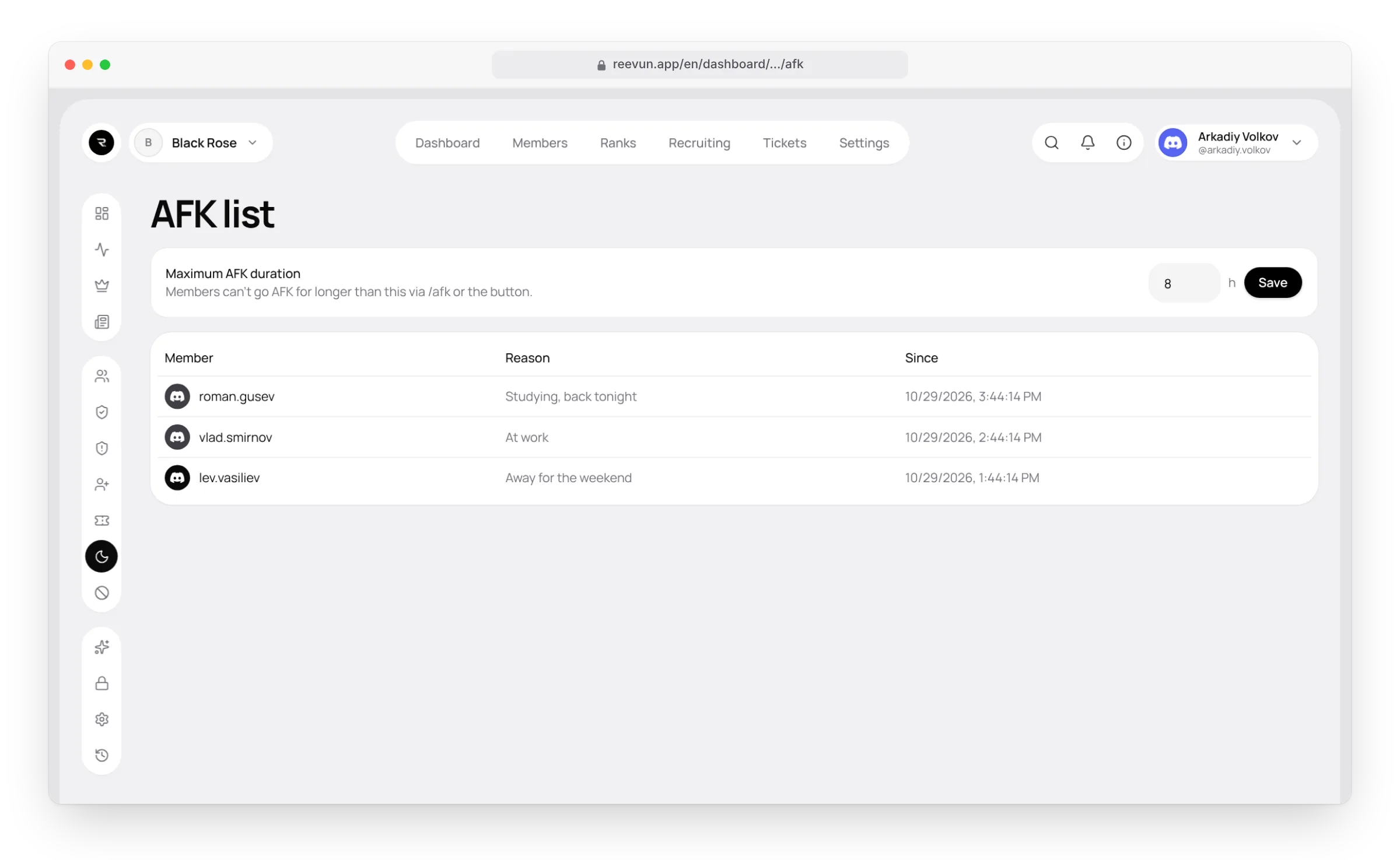
The AFK list page shows who is AFK right now, the reason and the start time. The Dashboard shows how many people are AFK.
FAQ
Can I go AFK for a day? No, 4 hours at most. For a longer absence create a request — "Leave request".
There's no AFK button in the personal cabinet. The "AFK list" module is off in Settings → Modules.