
English
Warnings
A warning is a notice for breaking the family's or the server's rules. A member can have up to three active warnings. Each warning comes with a Discord role, and the third one triggers a punishment.
How they work
| Warnings | What happens |
|---|---|
| 1st | The member gets the "1 warning" role |
| 2nd | The role changes to "2 warnings" |
| 3rd | The third-warning punishment kicks in |
The punishment for the 3rd warning is chosen in Settings → Warn roles:
- Strip all roles on the server;
- Kick from server;
- Ban from server;
- Assign a role — the chosen punishment role.
Warnings don't expire over time: the administration removes them by hand or through the removal conditions.
Giving or removing a warning
| Where | How |
|---|---|
The /warn command | Action Issue a warning or Remove a warning, the member and the reason |
| Admin panel, the Warns section | Add warning or Remove warning, up to 10 members at once and the reason |
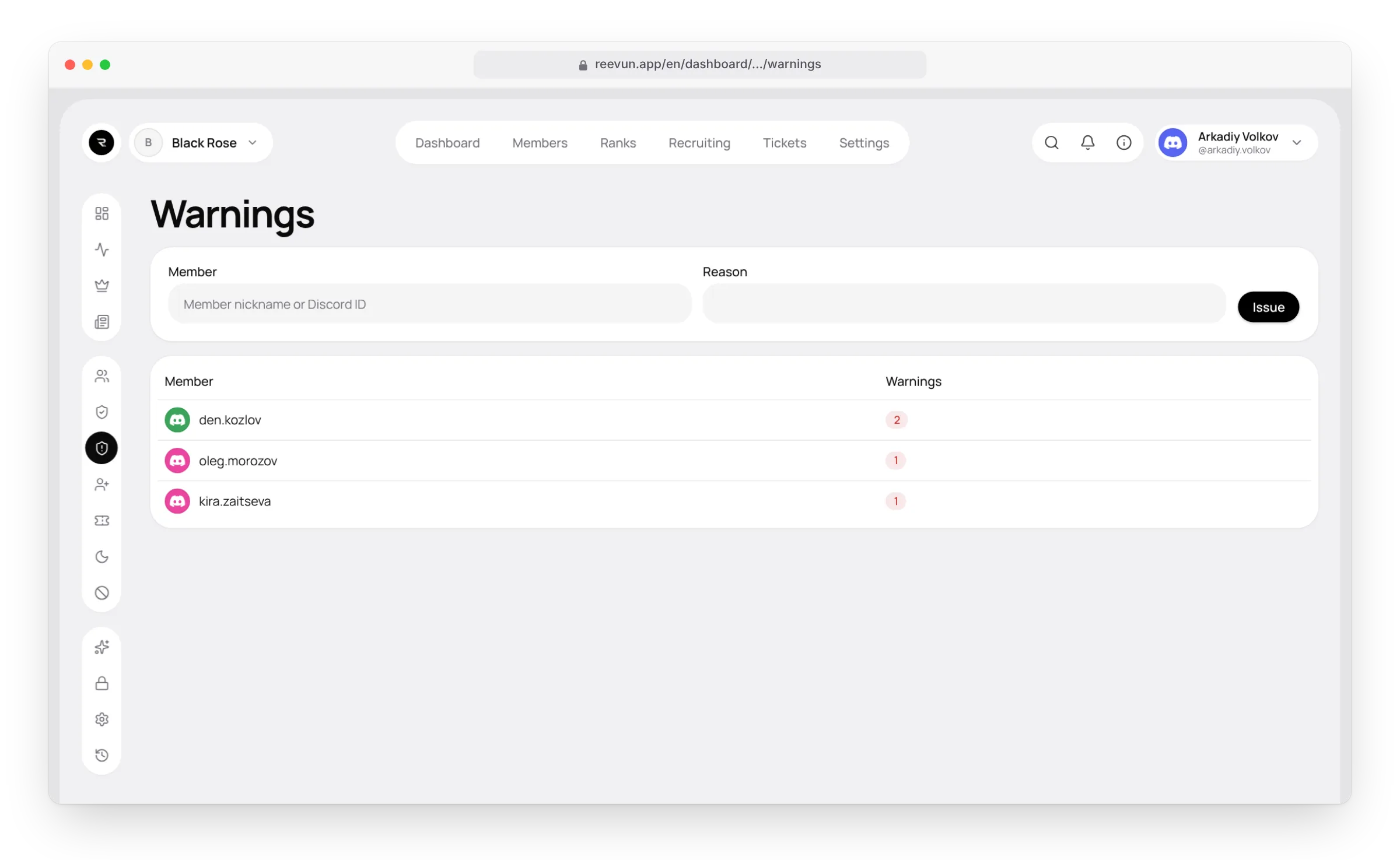
| The website, the Warnings page | Give the member (name or Discord ID) and the reason, press Issue, then Save |
| Auto-moderation | If the filter's punishment is "Warning" |
What happens next:
- The bot changes the member's warning role (or applies the third-warning punishment).
- The member gets a direct message with the reason and the current count, for example 2/3.
- The action is written to the log channel and the audit log.
Who can't be warned
The server owner, members with protected roles, and yourself. A moderator can only be warned by the owner, unless allowed otherwise.
Removal conditions
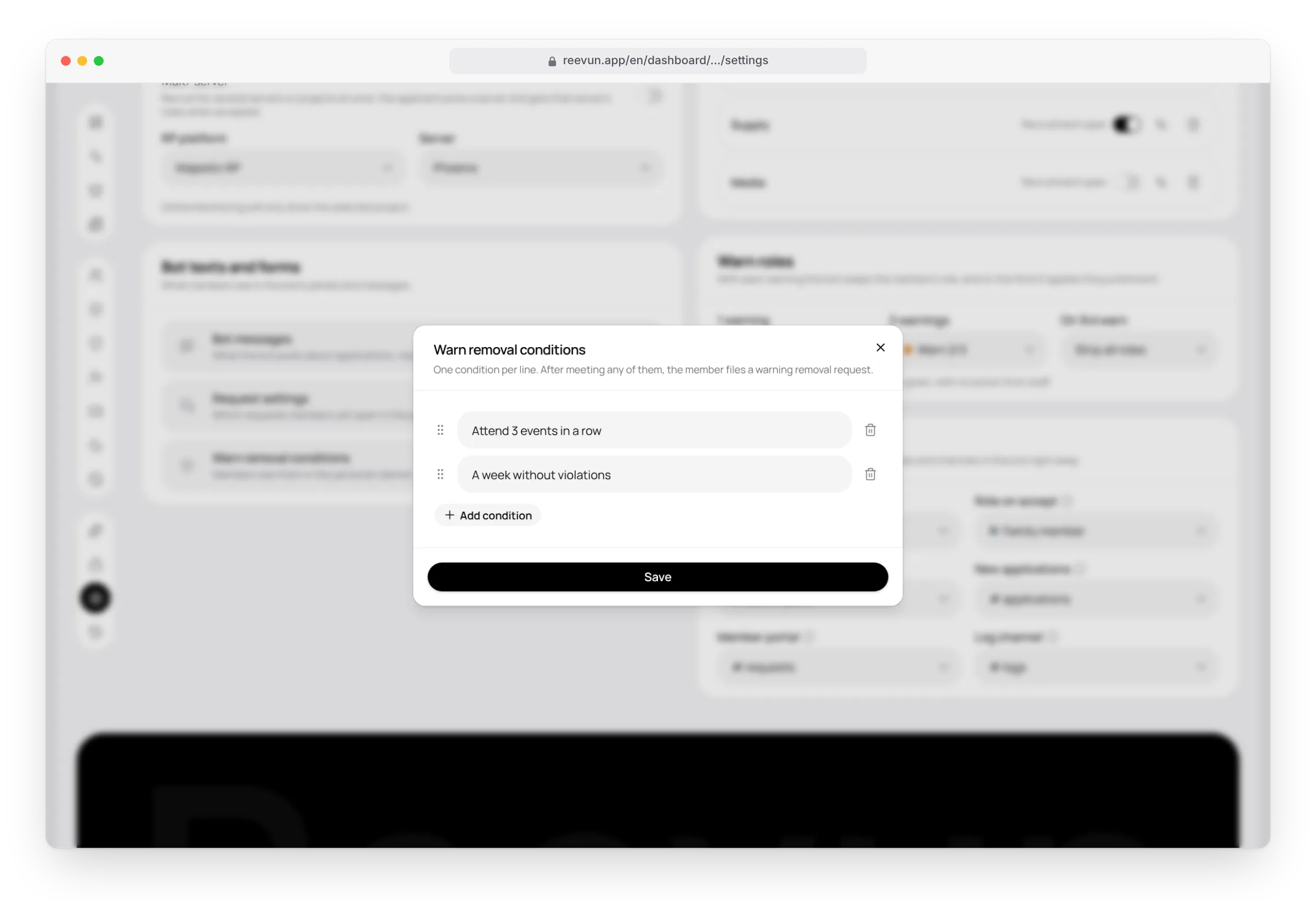
The administration sets up to 10 conditions, one per line, for example "pay $100,000 into the family fund". They're shown in the personal cabinet under "Warns" and in the admin panel. Set them in Settings → Bot texts and forms → Warn removal conditions.
How a warning gets removed:
- The member meets any of the conditions.
- Creates a Warning removal request in the personal cabinet.
- When closing the request, the administrator answers "Did the member meet the warning-removal conditions?".
- With Yes, met them, the bot removes one warning and tells the member. With "no", the warning stays.
Rejoining the server
If Restore warnings for rejoining members is on in Security → Member joining, a member who leaves and rejoins gets their warnings back together with the roles. Rejoining doesn't get rid of warnings.
On the website
The Warnings page lists all members with active warnings, sorted by count. You can warn several members at once and cancel pending ones: changes pile up and apply with Save.
FAQ
Can I give a fourth warning? No. The punishment happens at the third one, and the bot answers "A warning can't be issued".
Where's a member's warning history? In their profile: the Warning history button in the personal cabinet or /profile shows who gave or removed each warning, when and why.
The warning role wasn't given. The bot's role is below the warning role. Move the Reevun role up in the server settings.