
English
Requests
Requests are how a member writes to the family's leadership: ask for leave or a bonus, suggest an idea, get a warning removed or get promoted. Each request gets its own thread, where the member and the administration talk until it's sorted out.
Creating a request
- Press Requests in the personal cabinet or type
/ticket. - Pick a request type. Only the types available to you are shown.
- Fill in the form (1 to 5 questions) and send it.
- The bot opens a separate thread where you'll get an answer and sends a confirmation by direct message. The administration finds out too: an entry appears in the log channel.
While you have an open request, you can't create a new one: wait for the answer.
Request types
By default there are these types:
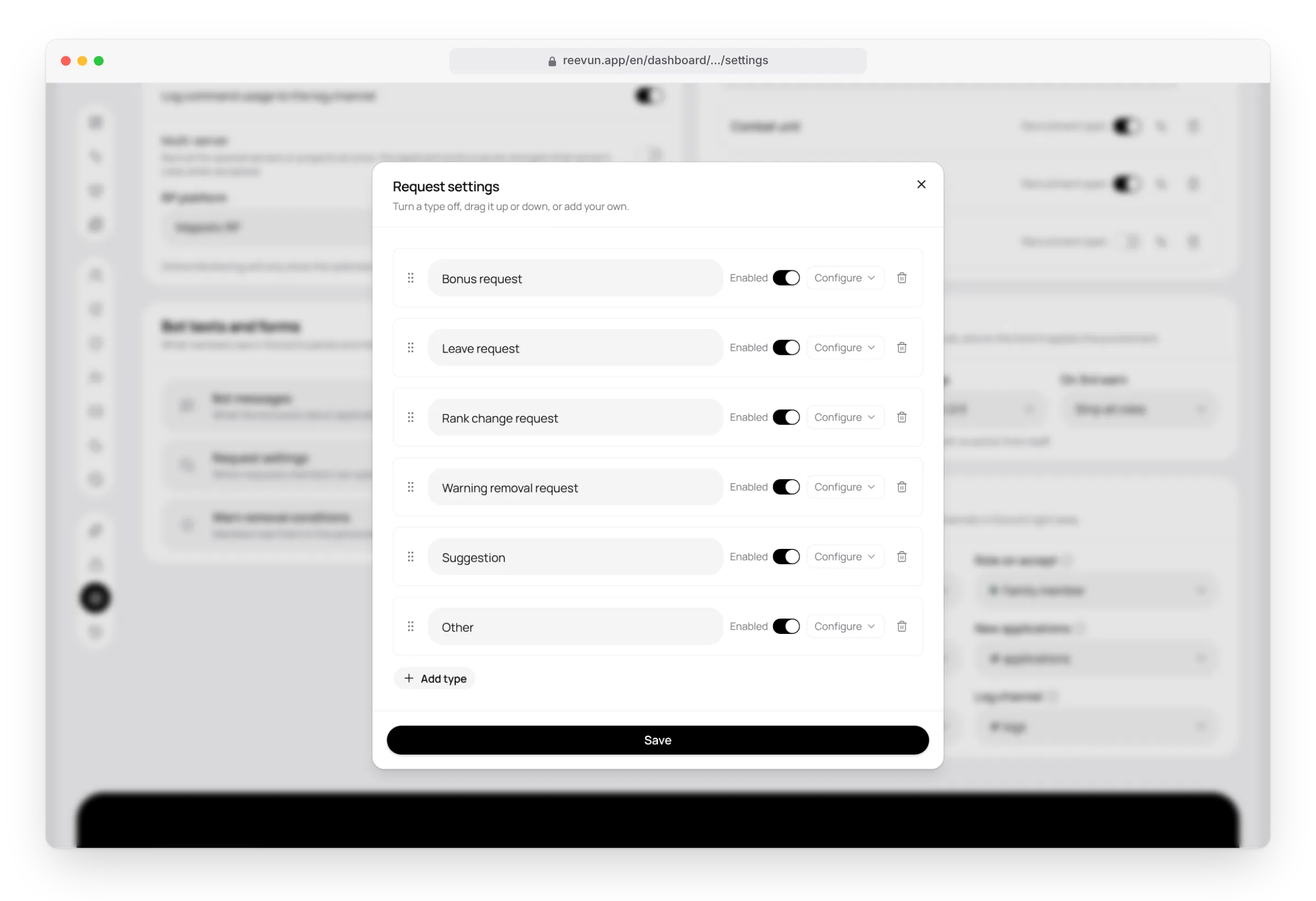
- Bonus request
- Leave request
- Rank change request
- Warning removal request
- Suggestion
- Other
The administration can turn any type off, change the order, edit the questions or add their own — up to 10 types. This is done on the website: Settings → Bot texts and forms → Request settings.
Who can use a type
Each type can have conditions. An empty condition doesn't limit anything.
| Condition | Example |
|---|---|
| Rank from / to | Leave — only from rank 3 |
| Needs any of these roles | Bonus — only for members with the "Logistics" role |
| Must have none of these roles | Suggestions — for everyone except recruits |
| Warnings | "Warning removal request" — only for those with active warnings |
Form questions
Each type has 1 to 5 questions. A question can be set to Link only: then the answer must be a link starting with http:// or https://, for example to a video or a screenshot.
How the administration closes a request
Administrators close a request with the Close button in its thread, with a confirmation. Then:
- The thread is closed, the conversation is kept.
- The author gets a direct message that it's closed.
- The closing is written to the log.
Two types also change the member's data when closed:
- Warning removal request. The bot asks whether the member met the removal conditions. With yes, one warning is removed. More: Warnings.
- Rank change request. The bot shows the promotion conditions. With yes, the member is promoted one rank. More: Ranks.
On the website
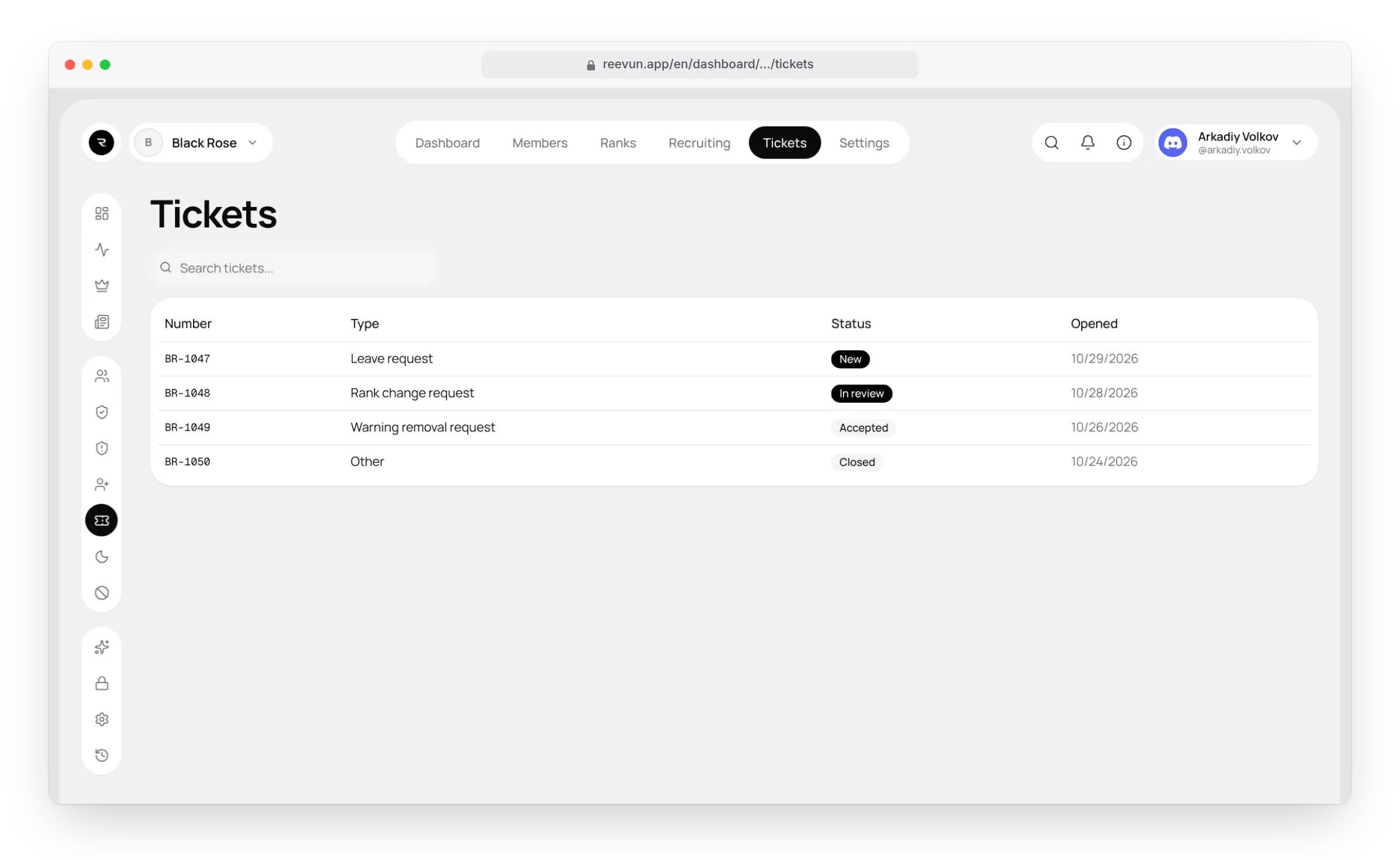
The Tickets page lists all requests and applications to join: number, type, status and date. Click a row to see the details: the form answers, who made the decision and why, and the whole conversation from the thread. There's a search above the list.
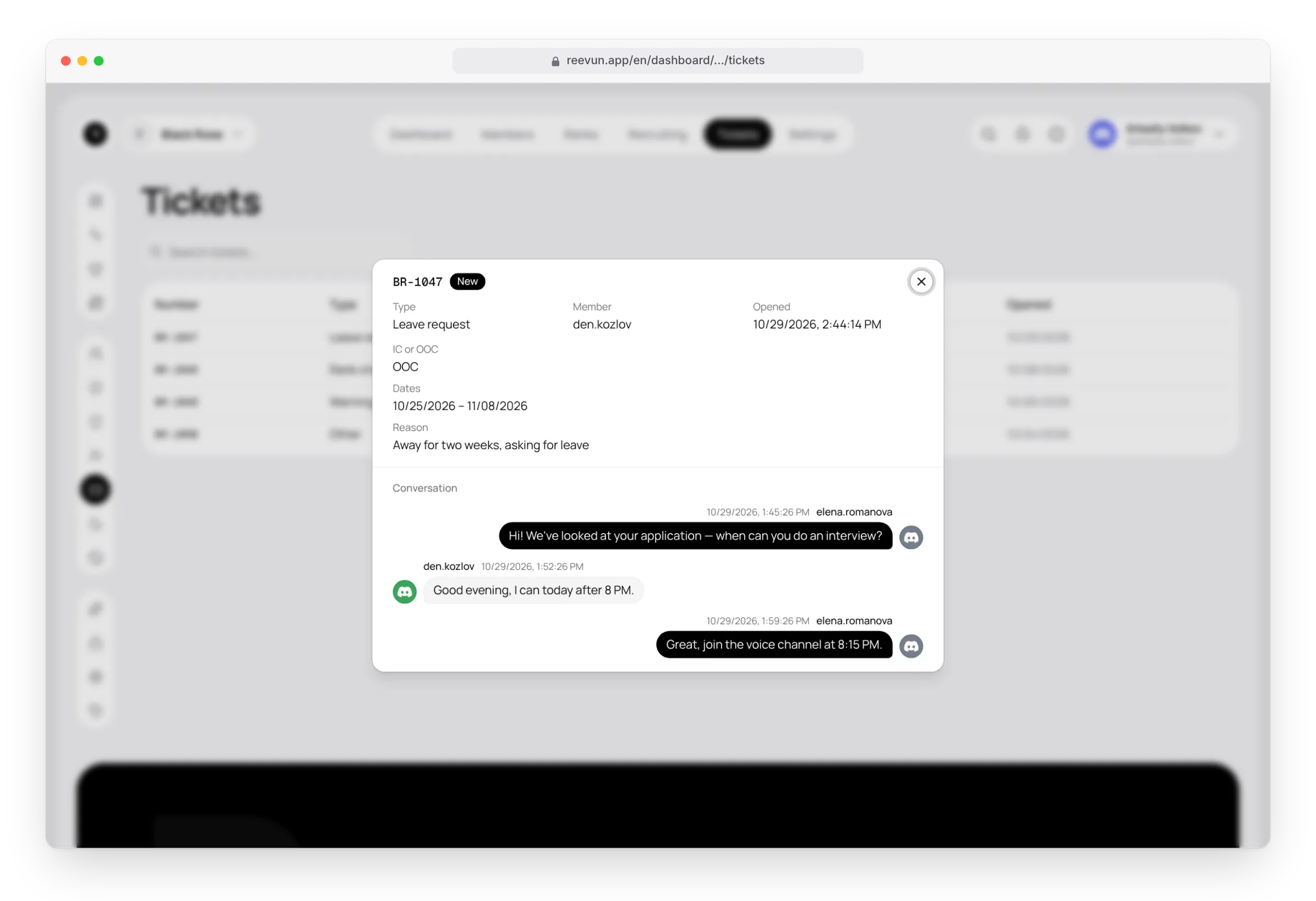
The conversation stays available even if the member has left the server.
FAQ
A member doesn't see a type they need. The type is off, or the member doesn't meet its "Who can use it" conditions (rank, roles, warnings).
The Requests section is empty. All types are off or deleted. Turn at least one on in the request settings.
Can a request be reopened? No, create a new one — the old one stays in the history.