
English
Security
The Security section on the website is about moderation: who counts as the administration, auto-moderation, mutes and bans, and what happens to new and rejoining members.
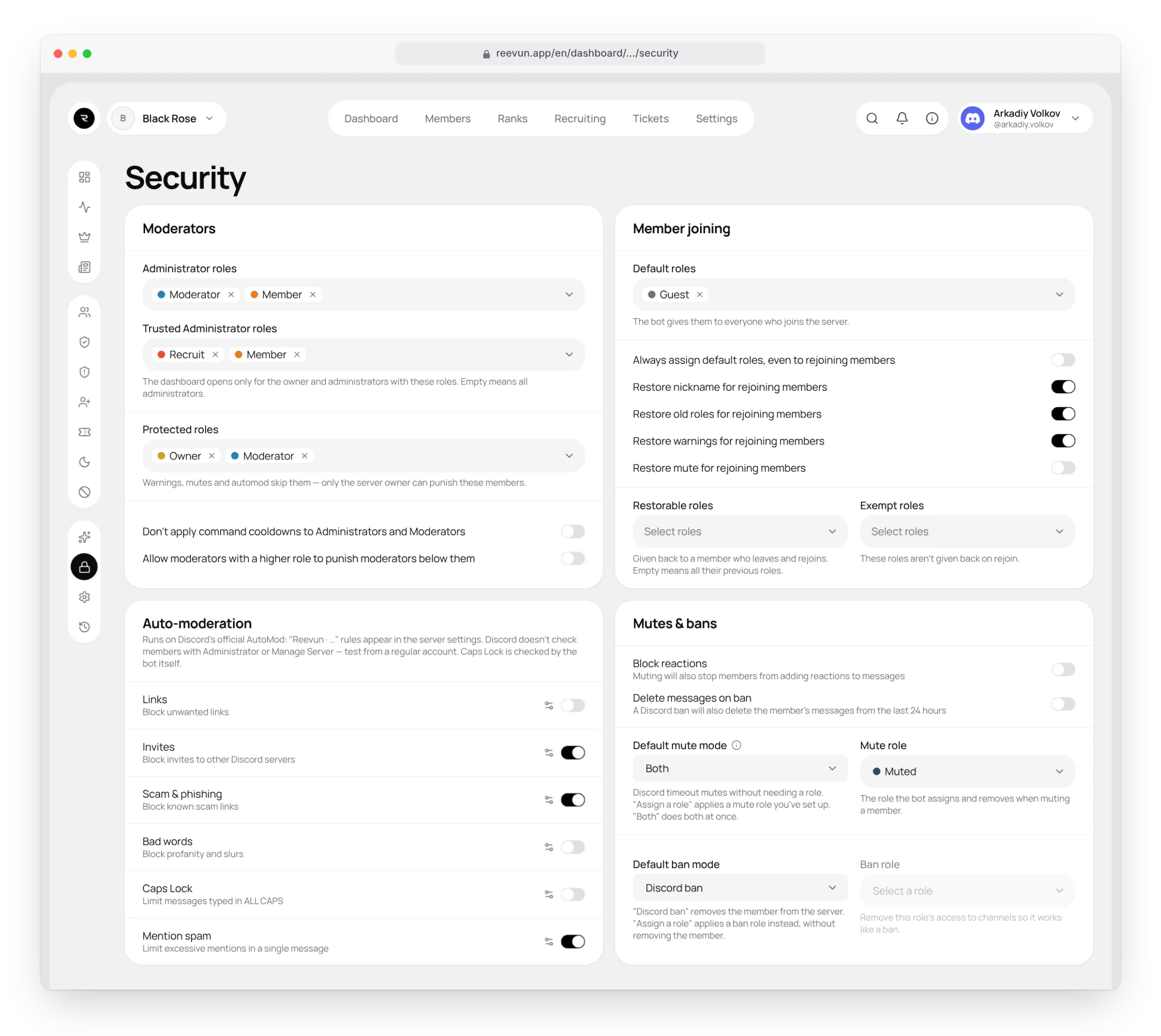
Moderators
| Setting | What it does |
|---|---|
| Administrator roles | Who can use moderation commands, the admin panel and review applications and requests. The server owner and members with the Administrator permission always have access. |
| Trusted Administrator roles | Which administrators can open the dashboard on the website. If none are set — all administrators. |
| Protected roles | Members with these roles can't be warned, muted, kicked or banned, and auto-moderation leaves them alone. Only the server owner can punish them. |
| Don't apply command cooldowns to Administrators and Moderators | Normally there's a 5-second wait between moderation actions. This setting removes the wait for the administration. |
| Allow moderators with a higher role to punish moderators below them | By default only the owner punishes moderators. With this setting a senior moderator can punish a junior one. |
Auto-moderation
Auto-moderation runs on Discord's official AutoMod: after you turn a filter on, rules called "Reevun · …" appear in the server settings (Server Settings → AutoMod). Discord blocks messages before they're sent, and the bot applies the chosen punishment.
| Filter | What it catches |
|---|---|
| Links | Unwanted links |
| Invites | Invites to other Discord servers |
| Scam & phishing | Known scam links |
| Bad words | Swearing and insults |
| Caps Lock | Messages written in CAPS |
| Mention spam | Too many mentions in one message |
Filter settings
Each filter has a Filter settings button.
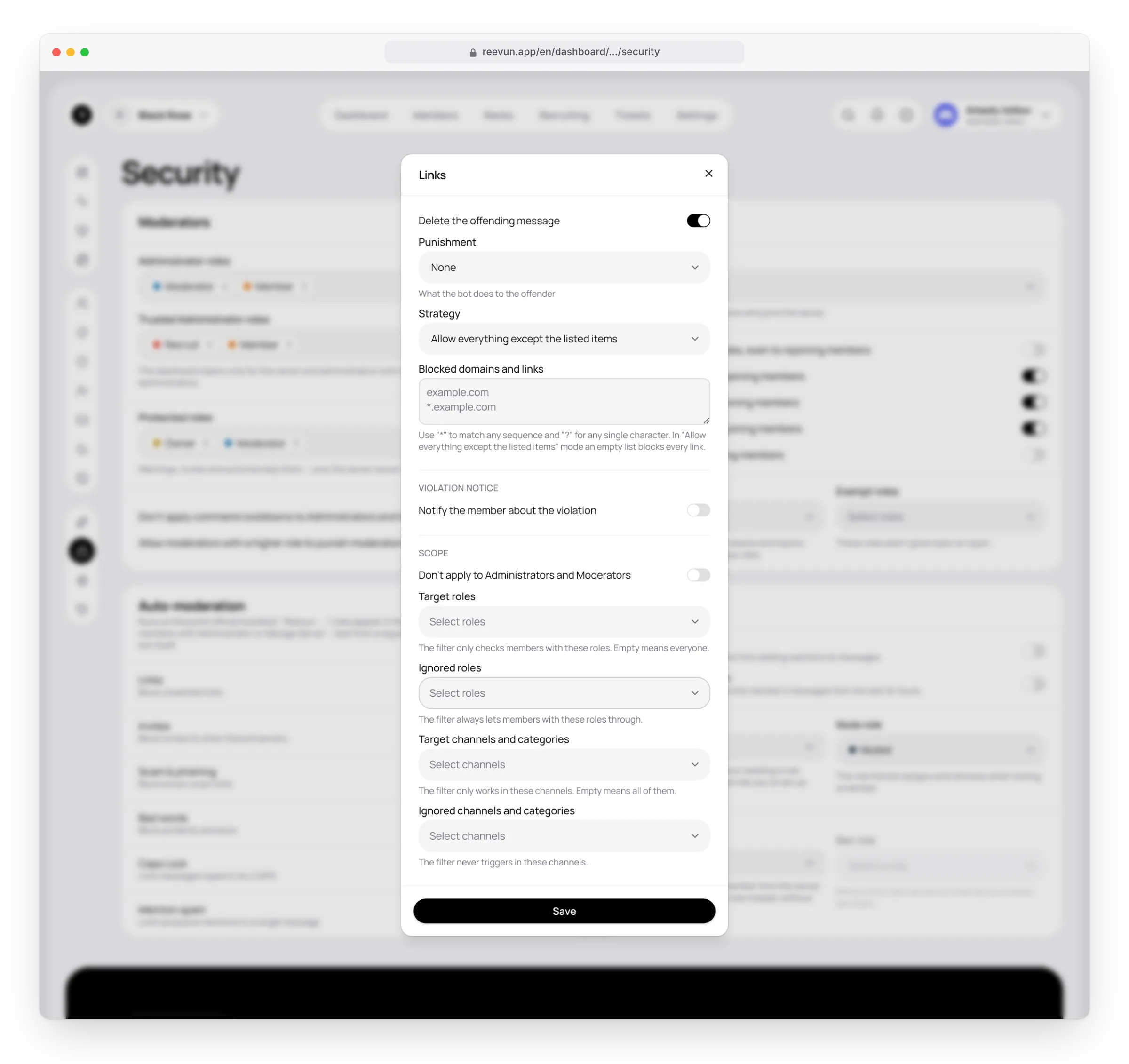
- Delete the offending message.
- Punishment: none, warning, mute, kick or ban.
- Strategy (for links): allow everything except the list, or block everything except the list. The list supports masks:
*— any sequence,?— any character. For example,*.example.com. - Extra words (for bad words). Swearing and insults are always blocked — by Discord's lists and the bot's Russian list; normal conversation isn't affected.
- Notify the member about the violation — the bot sends them a direct message.
- Scope: target and ignored roles, target and ignored channels and categories. Administrators and moderators can be left alone.
How to test
Discord doesn't check messages from members with the Administrator or Manage Server permission. Test the filters from a regular account. The bot checks caps itself.
Mutes
The /mute (duration in minutes, 60 by default) and /unmute commands. A reason is required. When the time is up, the bot lifts the mute by itself and tells the member.
Mute mode:
- Discord timeout — Discord's built-in restriction, no extra role needed. 28 days at most: that's Discord's own limit.
- Assign a role — a mute role you created in advance and set up in the channels.
- Both — both at once.
Block reactions — a muted member can't add reactions either.
Bans
The /ban, /kick and /unban commands. A reason is required.
Ban mode:
- Discord ban — the member is removed from the server and can't rejoin. Their messages from the last 24 hours can be deleted at the same time.
- Assign a role — the member stays on the server but gets the ban role (for example, with no access to channels).
Member joining
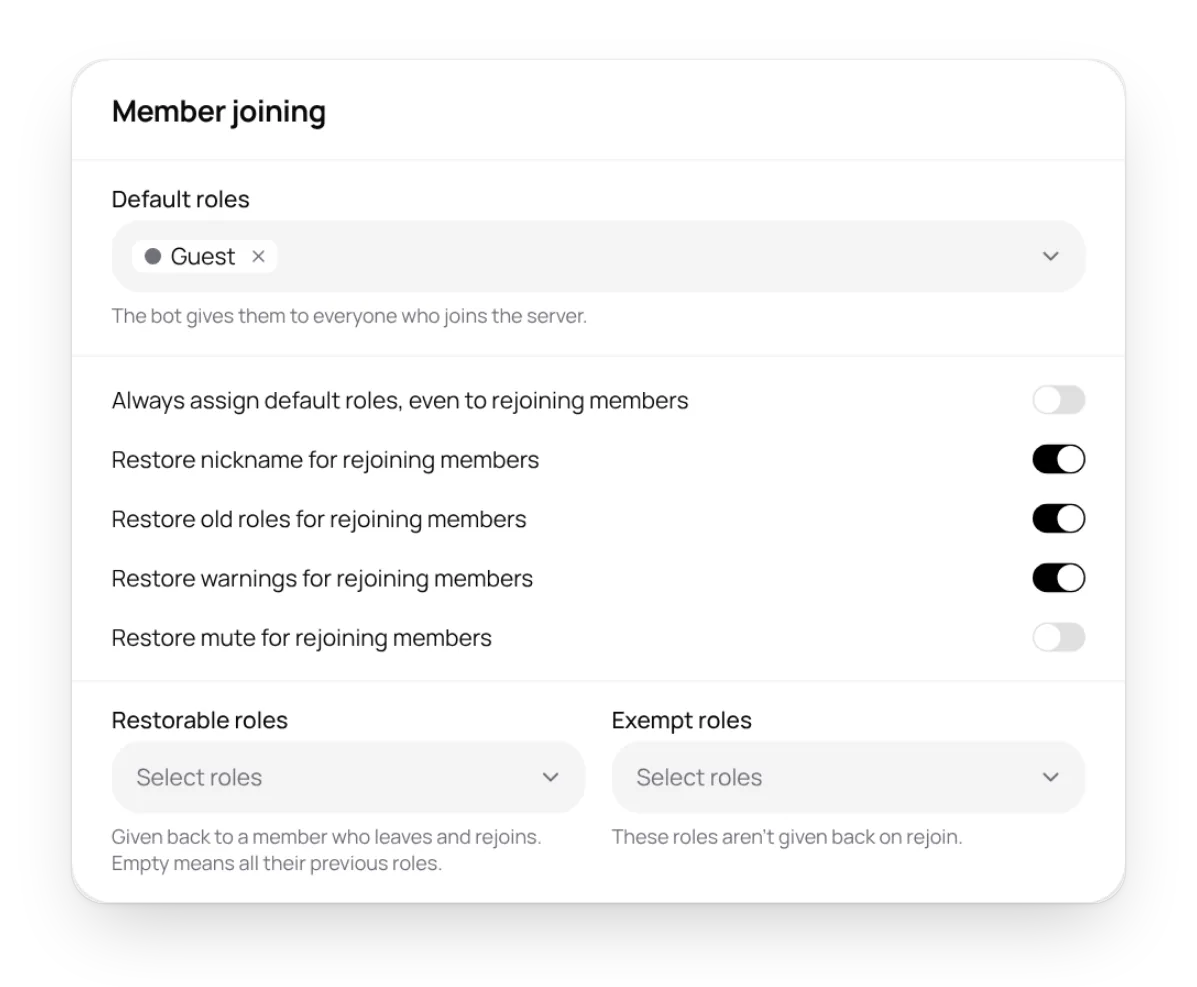
- Default roles — given to every new member. They can be given to rejoining members too.
- For those who left and came back, the bot can restore:
- the nickname;
- old roles — all of them, or only the chosen restorable roles; exempt roles are never restored;
- warnings;
- the mute.
This way nobody can drop a warning, a mute or other restrictions just by leaving and rejoining the server.
FAQ
A role says "This role is at or above the bot's own role". The bot can't give that role. Move the Reevun role higher in the server settings.
A month-long mute doesn't work. A Discord timeout is limited to 28 days. For longer mutes use the "Assign a role" mode.